01 · Projector & TV
Direct your agents from the couch.
Cast Gmux onto the wall, speak what you need, and wave to switch windows. Your agents keep working while you move around the room.
Gmux is mission control for AI coding agents. Orchestrators spawn sub-agents you can watch in real panels, steer mid-run from desktop or phone, and run on cloud or fully local models — every conversation rendered live, every action under your control.
Five demos in your browser: the multi-agent monitor, the agent flowchart, the memory panel, and the real phone app — the actual gmux-phone PWA running on simulated agents, no install.
Three sub-agents (🐦 local Ornith 1.5 models) generating images inside one gmux session — live panels, designations, state. Screenshotted from the running v7 app.
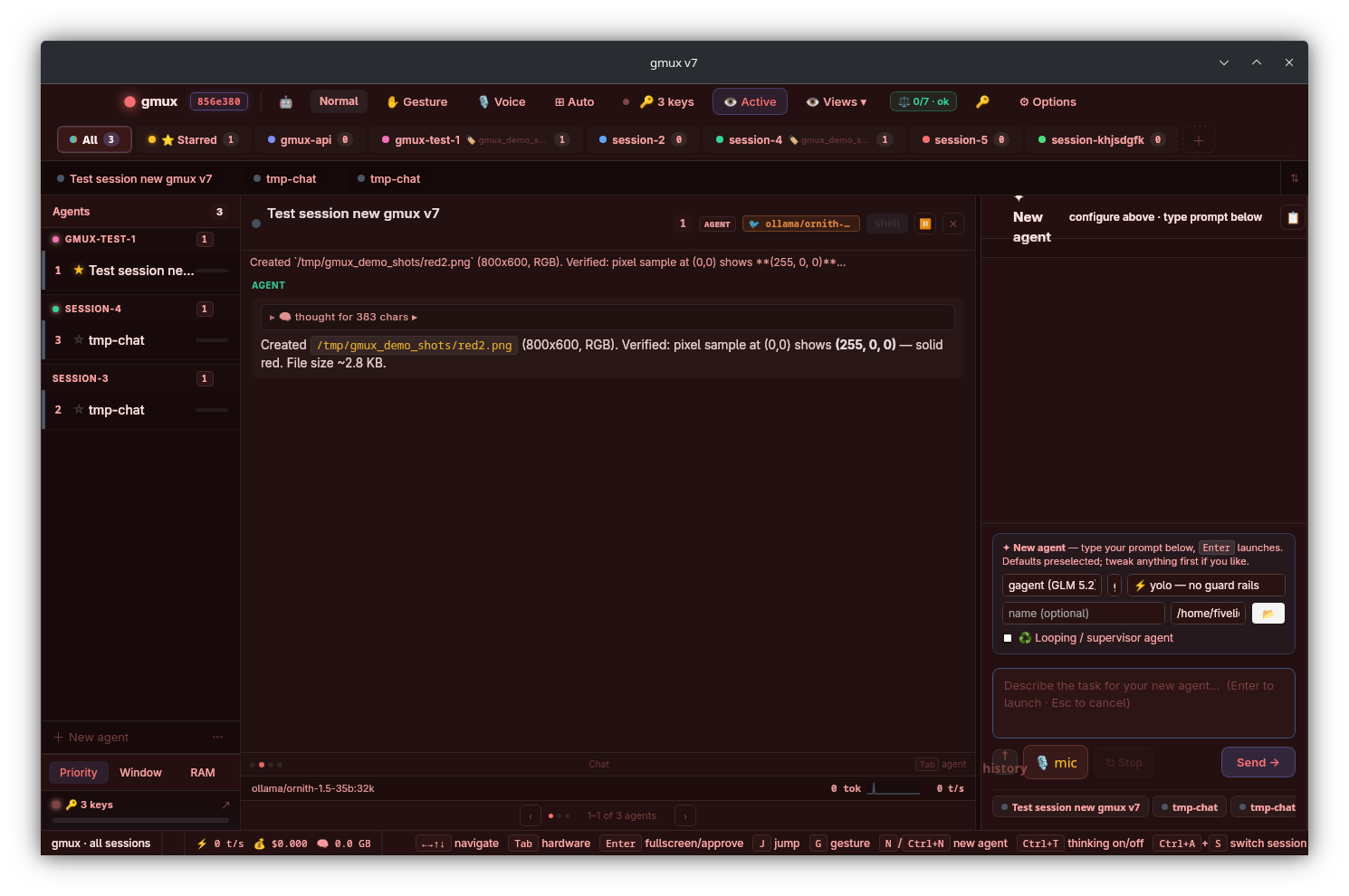
gmux wasn't built for hunching over a mechanical keyboard. It's built for how people actually work with agents now: moving around, thinking aloud, watching many things at once.
Cast Gmux onto the wall, speak what you need, and wave to switch windows. Your agents keep working while you move around the room.
Every agent on your desktop, live, from your phone. Voice instructions from the bus. Approvals from the queue. Terminal panels a thumb-swipe away.
Memory, CPU, current process, permission needs. See the whole fleet at a glance. Gmux flags only what actually needs you.
Standing in front of a screen with someone? A single wave takes you both to the next agent that needs a human decision. With a gesture, both of you can speak to the AI that has been selected.
Orchestrators hire sub-agents. You watch every conversation, steer anything mid-run, and pay only for what needs the big models. Everything else, gmux keeps quiet.
Not just “working”. Each agent gets a real panel: its chat rendered as markdown, its todo list, RAM/CPU, the files it touched, and — for orchestrators — its sub-agents as live branch rows and virtual panels.
GLM 5.3 orchestrates while Ornith 1.5 or GLM 4.7 sub-agents run free on your own GPU. Swap models mid-session; usage-conserving mode defaults every sub-agent to the cheap model.
The full agent fleet, live from your pocket: read every agent's latest reply in markdown, approve permissions from the queue, and steer any running agent mid-task — guidance lands as authoritative direction at the agent's next step, not a queued message.
pair once
QR or 8-digit code pairing; the bridge serves the app itself at :6302/app/.
🎯 a running agent from any panel or your phone. Messages are delivered over the agent bus — [STEERING] absorbed at the next step boundary. 45-minute run, 2-second correction.
Orchestrators spawn sub-agents with unique labels — css fixer, auth reviewer — shown as 🌿 badges so you always know what's a sub-agent and what it's for.
Kill -9 the app; every pane, name, layout and session restores on relaunch. Full transcripts per agent, exportable as markdown in one click.
A real PWA — the same one gmux serves from your machine — showing every session and agent live. These are screenshots of the actual app on simulated agents. Try it in your browser →
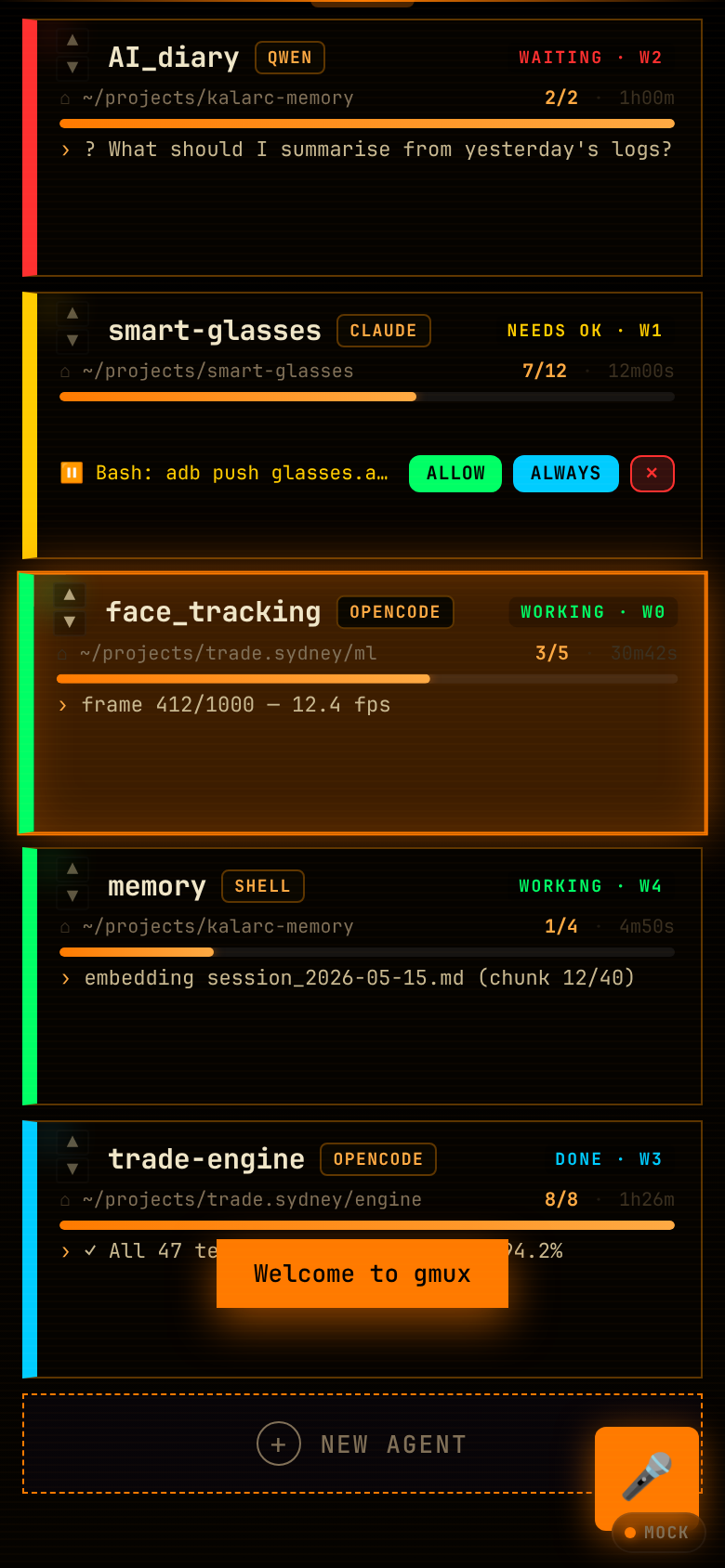
One card per agent: state stripe (working / needs OK / waiting / done), live todo progress, the model it's running, and its last activity line. Swipe or double-tap a card to open it.
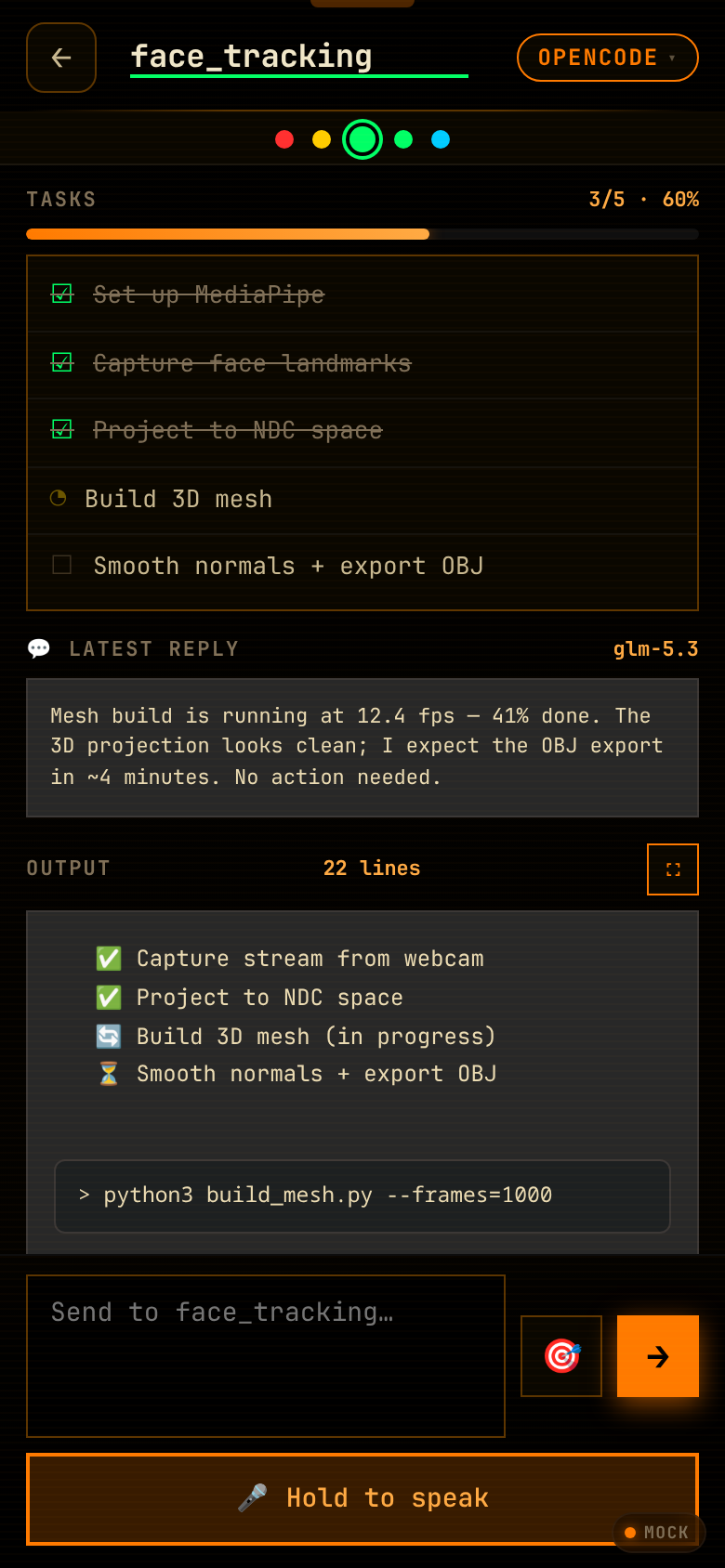
Full status header, the agent's todo checklist with progress bar, and quick actions. Everything you'd reach the keyboard for, thumb-sized.
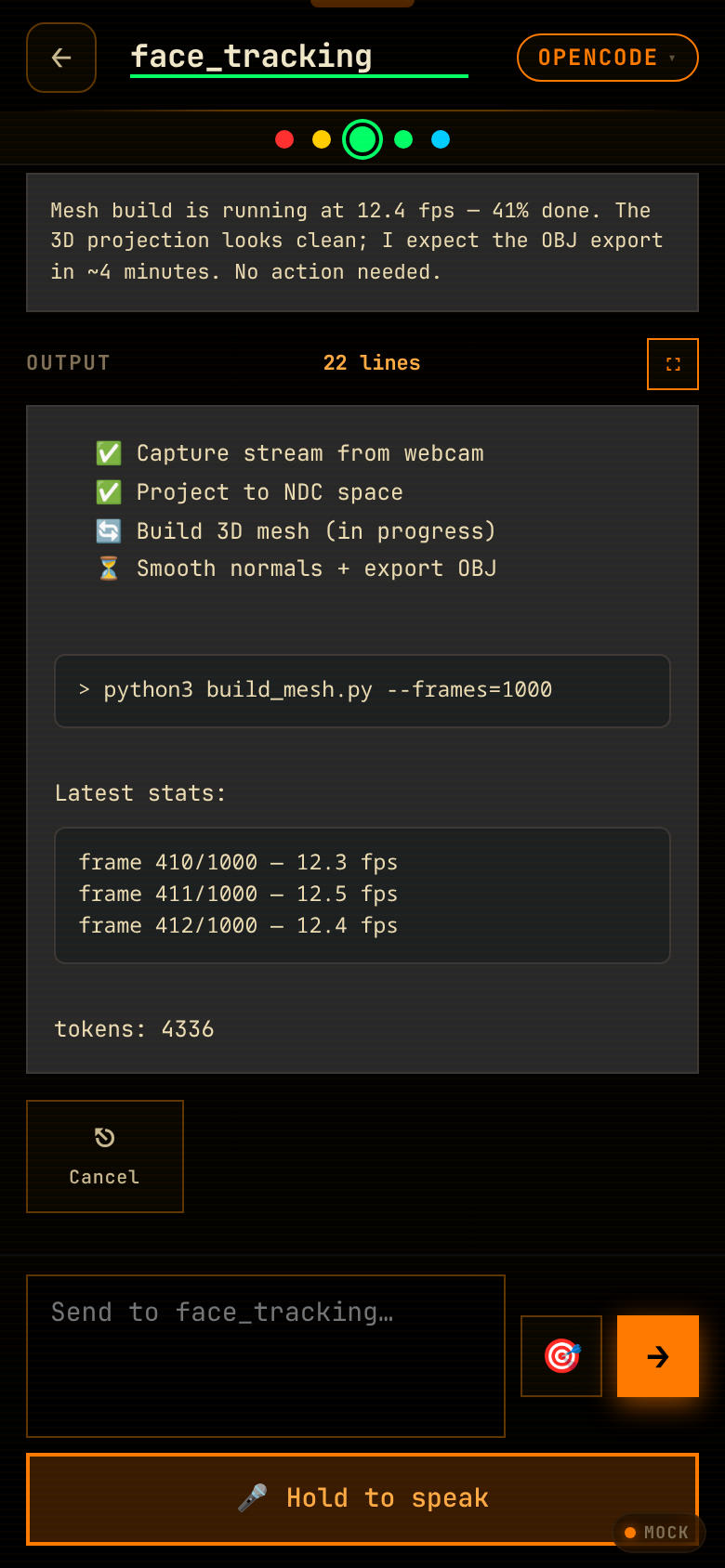
The agent's current assistant message streams to your phone as markdown — code blocks, lists, bold — not a raw terminal line. You read what your agents are actually saying.
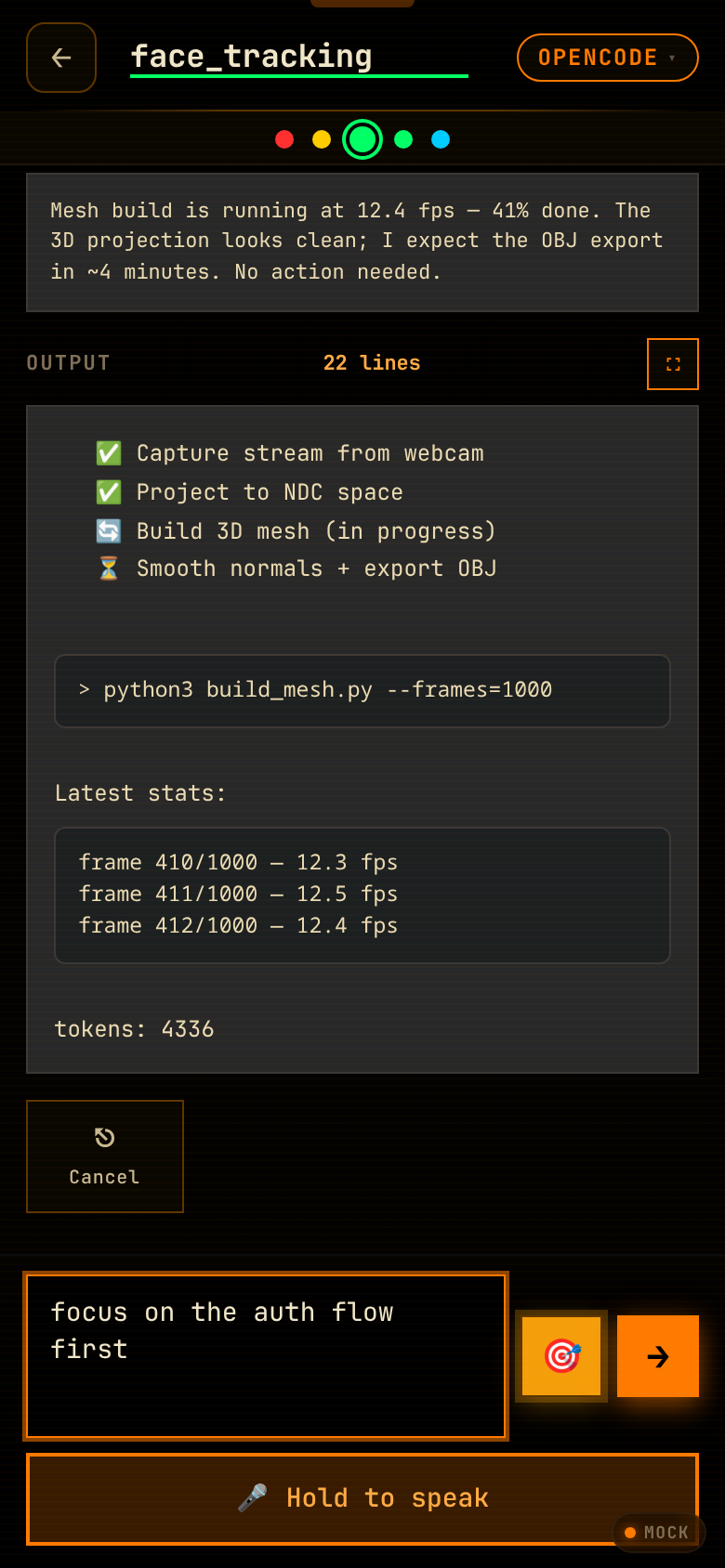
Arm the target, type your guidance, send. It travels the agent bus as [STEERING from phone] and is absorbed at the agent's next step boundary — authoritative course-correction for a 45-minute run, from a bus seat.
gmux v7 treats local models as first-class citizens: full tool use, thinking, even vision — tested end-to-end through the real agent loop, not a chat demo.
The same A3B architecture as GLM 4.7 Flash: only 3B parameters active per token, 36 tok/s on an iGPU, 262K context. Tool calls, thinking, and vision — it can read screenshots. Verified through complete gmux agent runs (spawn → tools → verified output).
The light one. Coexists with big models in memory, finishes whole agent tasks in seconds, and makes an ideal default for usage-conserving sub-agents that read files, run checks and draft edits.
The offline fallback you already know: full 32K-context agent runs with real thinking on/off control when the API is unreachable or the budget is zero.
One toggle: your orchestrator keeps the flagship model while every sub-agent it spawns defaults to the cheap one — GLM 5.3 Flash in the cloud, or Ornith/GLM locally for literally zero API spend. Explicit model choices always win.
Desktop panels, phone app, and the agents themselves all speak the same authenticated API. Anything can observe anything; steering flows from anywhere to any running agent.
Steering is the killer path: phone → bridge → bus → PTY → agent — a message typed on a bus seat is executing on your GPU seconds later. Every hop authenticated; every action logged per-agent.
Drag, snap, or ask gmux to lay them out for you. Save presets. Switch with a gesture. Nothing boxy, nothing rigid. A workspace that feels like yours.
Walk the real interfaces on simulated agents — then enable your camera and both hands light up with a live skeleton and gesture labels. The camera stays on your device.
No scrolling hijacked, no install. The camera stays on your device — nothing is uploaded. Pinch spawns orbs, the living particle layer reaches toward your fingertips, and a label follows each hand showing whichever gesture it's making.
Tap once if you'd want to try gmux when it's ready. We'll use the count to decide what to build next and who to invite first.
One tap per device. When your click lands, you'll see a confirmation.
When you click above, we record anonymised hardware details with your vote — OS, browser family, screen size, CPU core count, touch/motion preferences — so we can build Gmux for the systems you're actually on. No IP address, no full user-agent string, no tracking cookies.